1DM
One Download Manager for Android | 1DM App
1DM (One Download Manager) is an Android download manager with a built-in browser, video downloads, pause and resume, multiple downloads, and more.
1DM
1 DM, also known as One Download Manager, is an Android download manager designed to help users download, organize, and manage different types of files from one place. It combines download-management tools with a built-in browser, making it possible to browse, start downloads, monitor progress, and manage completed files without relying entirely on a separate download application.
Whether you regularly download large files, manage several downloads at once, save videos and audio, or want more control over interrupted downloads, 1 DM provides a range of tools designed around mobile downloading.
What Is 1DM (One Download Manager)?
1 DM is an Android-focused download manager and browser. Instead of treating every download as a simple browser task, it provides a dedicated interface where downloads can be monitored, paused, resumed, organized, and managed.
What Does 1 DM Do?
The main purpose of 1DM is to give Android users greater control over their downloads. Depending on the website, file type, and connection, users can use it to:
- Manage multiple downloads
- Pause and resume supported downloads
- Run downloads in the background
- Organize downloaded files
- Download supported video and audio content
- Manage large files
- Use a built-in browser
- Work with supported torrent and magnet links
The exact options available can vary depending on the source website, file, network, and Android version.
1DM as an Android Download Manager
1DM is designed for users who want more download controls than a basic mobile browser may provide. Its download interface allows users to see active and completed downloads and manage them from one location.
It can be particularly useful when several files need to be downloaded or when a large download needs to be paused and continued later.
1DM Browser and Download Manager in One App
One of 1DM’s notable features is its integrated browser. Users can browse supported websites and initiate downloads without constantly switching between separate browser and download-manager applications.
The basic workflow is simple:
Browse → find downloadable content → start the download → monitor and manage it in 1DM.
Why Use 1DM for Download Management?
A dedicated download manager can be useful when you regularly download files and want more control over how those downloads are handled.
Manage Multiple Downloads
Instead of handling files individually, 1DM can organize multiple downloads in its download interface. Users can monitor progress and manage active or completed files from one place.
Pause and Resume Downloads
Supported downloads can be paused and resumed when needed. This can be useful when you need to temporarily free network bandwidth or when a download is interrupted.
Resume capability can depend on the server and the particular file, so not every interrupted download is guaranteed to continue from exactly where it stopped.
Background Downloads
1DM is designed to manage downloads while you use other parts of your Android device. Background behavior can also depend on Android’s battery, background-process, and network settings.
Organize Downloaded Files
Downloaded content can be managed according to its type and location. Keeping videos, music, documents, and other files organized makes it easier to find completed downloads later.
1DM Download Manager Features
1DM combines several download-management functions into one Android application.
Multi-Connection Downloading
For supported downloads, 1DM can use multiple connections to divide a download into separate parts. This can improve download utilization in some situations, although actual speed depends on factors such as the server, network, file host, and connection quality.
Pause, Resume and Retry
Download controls allow users to manage interrupted or temporarily stopped downloads. Where the source server supports resuming, a download can continue rather than requiring the entire file to be downloaded again.
Retry controls can also help when a temporary network or server problem prevents a download from completing.
Multiple Downloads at Once
Users who regularly download several files can manage them through the download queue. This makes it easier to see which downloads are active, completed, paused, or waiting.
Download Queue and Scheduling
A download queue can help organize several files and determine how downloads are handled. Scheduling options can also be useful when users want downloads to run at a particular time or under particular conditions, where supported.
Background Downloads
Background downloading lets users continue working with their device while downloads are being managed. Android system settings can affect how reliably background activity continues.
Download Categories
Organizing downloads by type can make file management easier. Common categories include:
- Videos
- Music and audio
- Documents
- Archives
- Other files
Customizable Download Settings
1DM provides settings that allow users to adjust aspects of their download experience, including download behavior and file-management preferences.
The available settings can vary between versions, so users should check the settings available in their installed version.
Download Error Handling and Retry
Downloads can fail for many reasons, including unstable connections, unavailable servers, expired links, insufficient storage, or restrictions imposed by a website.
1DM’s download controls can help users identify failed downloads and retry them when appropriate.
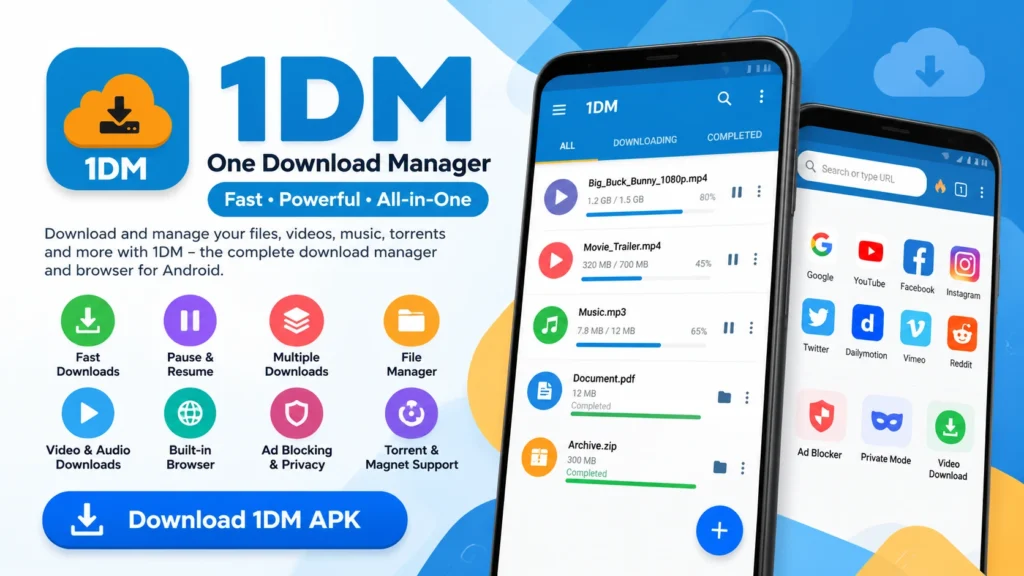
1DM Browser – Built-in Browser and Downloading
The built-in browser is an important part of the 1DM experience. It connects browsing and downloading so users can find supported content and manage downloads from the same application.
Browse the Web With 1DM
The integrated browser provides a way to visit websites without switching to another application whenever a download needs to be started.
Detect Downloadable Content
When a website provides compatible downloadable content, 1DM may detect available downloads and present appropriate options.
Detection depends on how a website delivers its content. Not every webpage or online service will provide downloadable content that 1DM can detect.
Start Downloads Directly From the Browser
Once compatible content is identified, users can select the relevant download option and manage the resulting file through the download manager.
Manage Downloads While Browsing
Because the browser and download manager are integrated, users can continue browsing while downloads are being handled.
Ad Blocking and Browser Controls
1DM’s browser experience includes controls intended to provide a cleaner browsing environment. Available browser features can vary by version and configuration.
Browser Privacy and Security
Users should still follow normal browser-safety practices, such as avoiding suspicious websites, protecting account credentials, and being careful about files downloaded from unknown sources.
Download Videos and Media With 1DM
1DM is also designed to handle supported video and audio downloads.
Video Download Detection
When compatible downloadable video content is available, 1DM may detect it and provide download options.
However, download availability depends on the website and its content-delivery system. Some platforms restrict downloading or use technologies that prevent third-party download tools from accessing media.
Choose Available Download Options
Depending on the source, users may see different available download options. The available formats, resolutions, or file sizes depend on how the website provides the content.
Manage Video Downloads
Once a supported video download has started, users can monitor its progress, pause or resume it where supported, and find the completed file through the download manager or selected storage location.
Audio and Other Media Files
In addition to videos, 1DM can be used to manage supported audio and other downloadable media files.
Users should always respect the copyright, licensing, and terms of service applicable to the content they download.
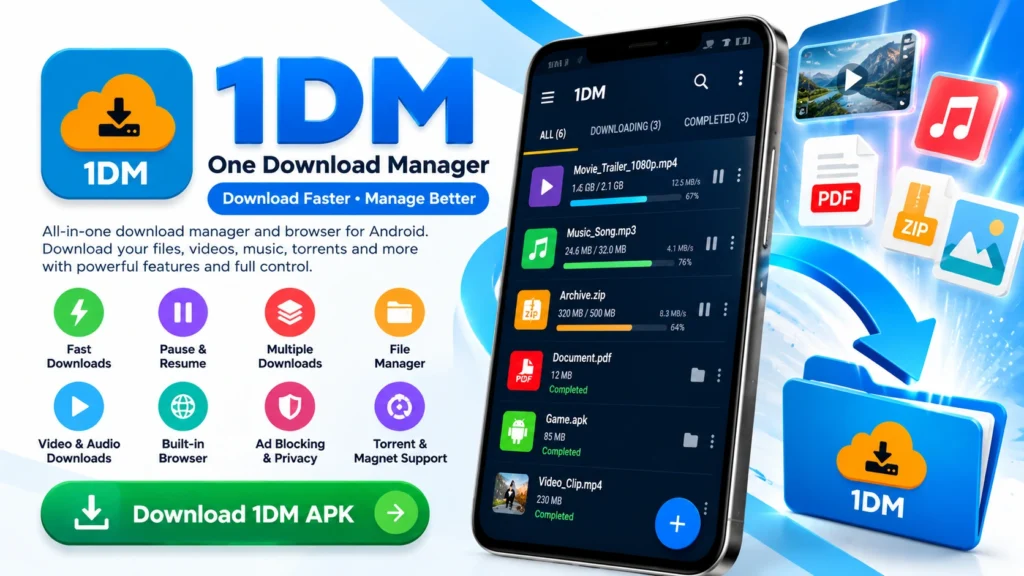
1DM Torrent and Magnet Download Support
1DM also includes support for torrent-related downloading functionality.
Torrent Downloads
Users can manage supported torrent downloads through the download manager rather than relying on a separate application.
Magnet Links
Supported magnet links can be opened through the appropriate download workflow, allowing compatible torrent content to be added to the download manager.
Managing Torrent Downloads
Torrent downloads can be monitored alongside other downloads, giving users a central place to check progress and status.
Pause and Resume Torrent Transfers
Where supported, torrent transfers can be paused and continued later.
As with any torrent application, users should only download and share content they have the legal right to access.
Download Large Files With 1DM
Large files can create additional challenges on mobile devices, particularly when storage, network stability, or server limitations become factors.
Multi-Connection Downloads
Using multiple connections for supported downloads can help make better use of an available connection, but it does not guarantee a particular download speed.
Managing Large Files
Before starting a large download, it is useful to check available storage and make sure the device has a sufficiently stable network connection.
Why Download Speed Can Vary
Download speed is affected by more than the download manager. Factors can include:
- Internet connection quality
- Wi-Fi or mobile network congestion
- Server speed
- Server connection limits
- File-host restrictions
- Device performance
- Network conditions
For this reason, 1DM should not be treated as a guarantee of a specific download speed.
Pause, Resume and Retry
For supported files, these controls can be particularly useful when managing large downloads that take considerable time to complete.
1DM for Android Phones and Tablets
1DM is primarily designed around the Android ecosystem.
Using 1DM on Android Phones
On an Android phone, 1DM can provide a central place for managing files downloaded from supported websites and links.
Using 1DM on Android Tablets
The same basic download-management concept can be useful on Android tablets, particularly when handling larger files or multiple downloads.
Android Storage and Permissions
A download manager needs appropriate access to handle downloaded files and storage locations. Android’s permission system and storage model can vary between versions.
Users should review the permissions requested by their installed version and only grant permissions they understand and are comfortable with.
Device Compatibility
Compatibility depends on the Android version, device configuration, and current application requirements. Always check the requirements associated with the particular version you intend to install.
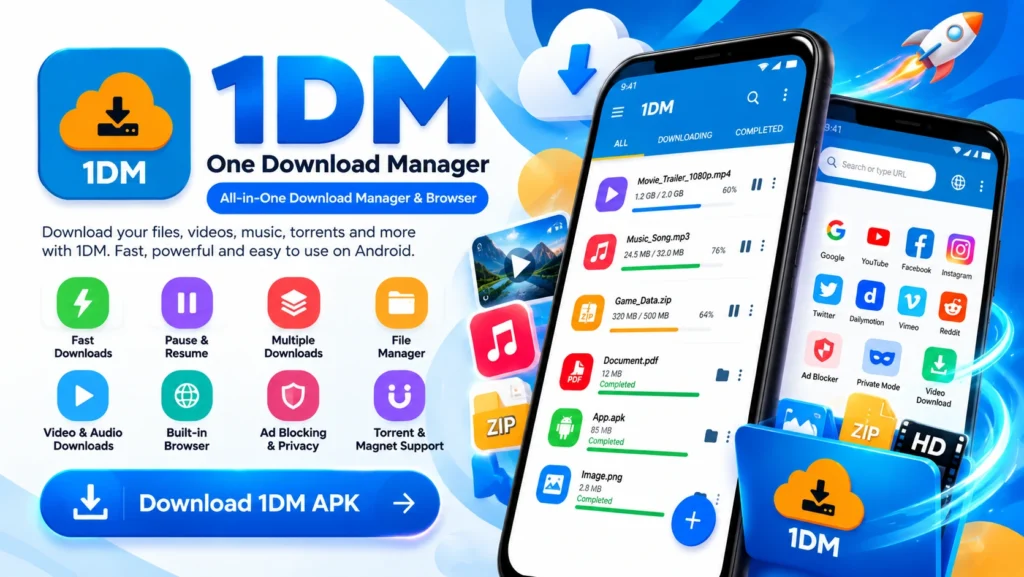
1DM APK Download and Installation
Users searching for 1DM APK, 1DM APK download, or download 1DM APK are generally looking for the Android installation package.
An APK should be obtained from a trustworthy source, and users should verify the application information before installation.
1DM APK Information
Before installing an APK, check:
- Application name
- Developer information
- Version
- Android requirements
- File source
- Package information where available
How to Download 1DM APK
The general process is:
- Visit a trusted download source.
- Check the available 1DM version.
- Verify the Android compatibility information.
- Download the APK.
- Review the file before installing it.
How to Install 1DM APK
After obtaining a legitimate APK:
- Open the downloaded APK file.
- Follow Android’s installation prompts.
- Review the requested permissions.
- Complete the installation.
- Open 1DM and configure its download settings.
Android may restrict installation from unknown sources depending on your security settings.
Checking an APK Before Installation
Avoid downloading modified or suspicious APK files from unknown websites. Check the source, application identity, version information, and file details before installing.
How to Use 1DM
New users can start with a few basic steps.
Install and Open 1DM
Install a compatible version and open the application. Review the initial settings before starting downloads.
Add a Download Link
When you have a supported download link, add it through the appropriate 1DM download interface or browser workflow.
Start a Download
Select the desired download options and start the download.
Monitor Download Progress
The download interface allows you to check progress, file information, and download status.
Pause and Resume
Use the available pause and resume controls when you need to temporarily stop a supported download.
Manage Multiple Downloads
Use the download list and queue to organize several active and pending downloads.
Find Completed Files
Completed downloads can be accessed through 1DM and the storage location selected for downloaded files.
Where Does 1DM Store Downloaded Files?
One common question from Android users is where downloaded videos and other files are saved.
A commonly encountered Android storage path is:
/storage/emulated/0/Download/
The exact 1DM folder and location can vary depending on the application settings, Android version, and storage configuration.
Default 1DM Download Folder
Check the download settings inside 1DM to identify the folder currently selected for downloads.
Where Are Downloaded Videos Stored?
If you are looking for a downloaded video, check the location selected for video downloads and the relevant folder in your Android file manager.
How to Find Downloaded Files on Android
You can usually locate files through:
- 1DM’s completed downloads
- Android’s file manager
- The configured download directory
How to Change the Download Location
If you want files stored somewhere else, open 1DM’s download or storage settings and select an available folder where supported.
Managing Storage Space
Large downloads can quickly consume mobile storage. Regularly review completed downloads and remove files you no longer need.
1DM for PC and Windows
1DM is primarily an Android application, so PC users should distinguish between using the Android application and using a native Windows download manager.
Can You Use 1DM on a PC?
Depending on the setup, Android applications can be run on a computer through compatible Android environments or emulators.
Running 1DM Through an Android Environment
An Android emulator can provide an environment in which compatible Android applications may run on a PC.
The exact installation procedure and hardware requirements depend on the emulator being used.
1DM on Windows
Users looking for 1DM for Windows should verify whether they want to run the Android application through an Android environment or use a native Windows download manager instead.
Android vs Desktop Download Management
A dedicated desktop download manager may provide features designed specifically for Windows or macOS, while 1DM is designed around Android.
This distinction is important when choosing a download solution for a particular device.
1DM Security, Privacy and Permissions
Is 1DM Safe?
Safety depends on factors including where the application is obtained, which version is installed, the permissions granted, and how the application is used.
Users should prefer trustworthy sources and avoid modified APKs or suspicious download sites.
Understanding App Permissions
Review permissions requested by the application and consider whether they make sense for its functions as a browser and download manager.
Browser Privacy
When browsing through any integrated browser, avoid entering sensitive information on untrusted websites and use standard account-security practices.
Ad and Tracker Blocking
Where available, browser controls designed to block advertisements or trackers can reduce certain types of unwanted web content, but they should not be treated as complete protection against every online threat.
Download Safety
A download manager does not automatically make every downloaded file safe. Files should still be obtained from trustworthy sources and scanned with appropriate security tools when necessary.
Why APK Source Matters
The source of an APK matters because third-party websites can distribute modified, outdated, or malicious files.
Before installation, check the source and application details carefully.
1DM Version and Compatibility Information
Application versions change over time, so version information should always be checked against a current, trustworthy source before publication or installation.
Current Version
Check the latest available version and its release information before installing or updating.
Android Requirements
Review the minimum Android version required by the specific release.
Device Compatibility
Compatibility may vary based on Android version, architecture, device configuration, and available storage.
Version History
Older versions may remain useful for compatibility purposes, but they can also lack newer fixes, improvements, or security updates.
Updates and Changes
Before updating, review the release information where available to understand what has changed.
1DM Technical Information
For users who want more technical details, the following information can help identify the correct application and version.
App Information
Name: 1DM: Browser & Video Download
Category: Download Manager / Browser
Platform: Android
Package Information
The package identifier and other technical details should be checked against a current, trustworthy application listing before publishing exact values.
Android Compatibility
Android compatibility depends on the specific 1DM release.
Storage Paths
The download path can be changed depending on the application’s available settings and Android’s storage rules.
1DM vs Traditional Mobile Browsers
A mobile browser can download files, but a dedicated download manager provides additional controls specifically designed for managing downloads.
Download Controls
1DM provides dedicated controls for managing download progress, queues, retries, and supported pause/resume operations.
Browser Integration
The built-in browser connects browsing and downloading within the same application.
Background Downloads
A dedicated download manager can provide a more focused interface for tracking downloads while other tasks are being performed.
Multiple Download Control
When several files are being downloaded, a dedicated download list can make it easier to monitor and organize them.
When Is a Dedicated Download Manager Useful?
A download manager can be particularly useful for users who:
- Download files regularly
- Handle large files
- Manage multiple downloads
- Need pause/resume controls
- Want downloads organized in one place
1DM Pros and Considerations
Potential Advantages of 1DM
Depending on your needs and device, useful aspects can include:
- Dedicated download management
- Multiple download support
- Pause and resume controls
- Background download management
- Built-in browser
- Supported video and media downloading
- Torrent and magnet support
- Download organization
Things to Consider
There are also practical considerations:
- 1DM is primarily Android-focused.
- Download availability depends on the source website and content.
- Download speeds depend on network and server conditions.
- Some websites restrict third-party downloading.
- APKs should be obtained from trustworthy sources.
- Android permissions and background restrictions can affect functionality.
Frequently Asked Questions About 1DM
Get Started With 1DM
1DM brings download management, browser functionality, and a range of file-management tools together in an Android-focused application. Its usefulness depends on what you download, which websites you use, your device, and your network conditions.
If you are new to 1DM, start by learning the basic download controls and browser workflow. From there, you can explore features such as multiple downloads, pause and resume, media downloading, torrent support, and download organization.